
How to Accept a Network Invite on 10ure App
1. Copy the Verification Code shown below.
This code is unique to each invite:
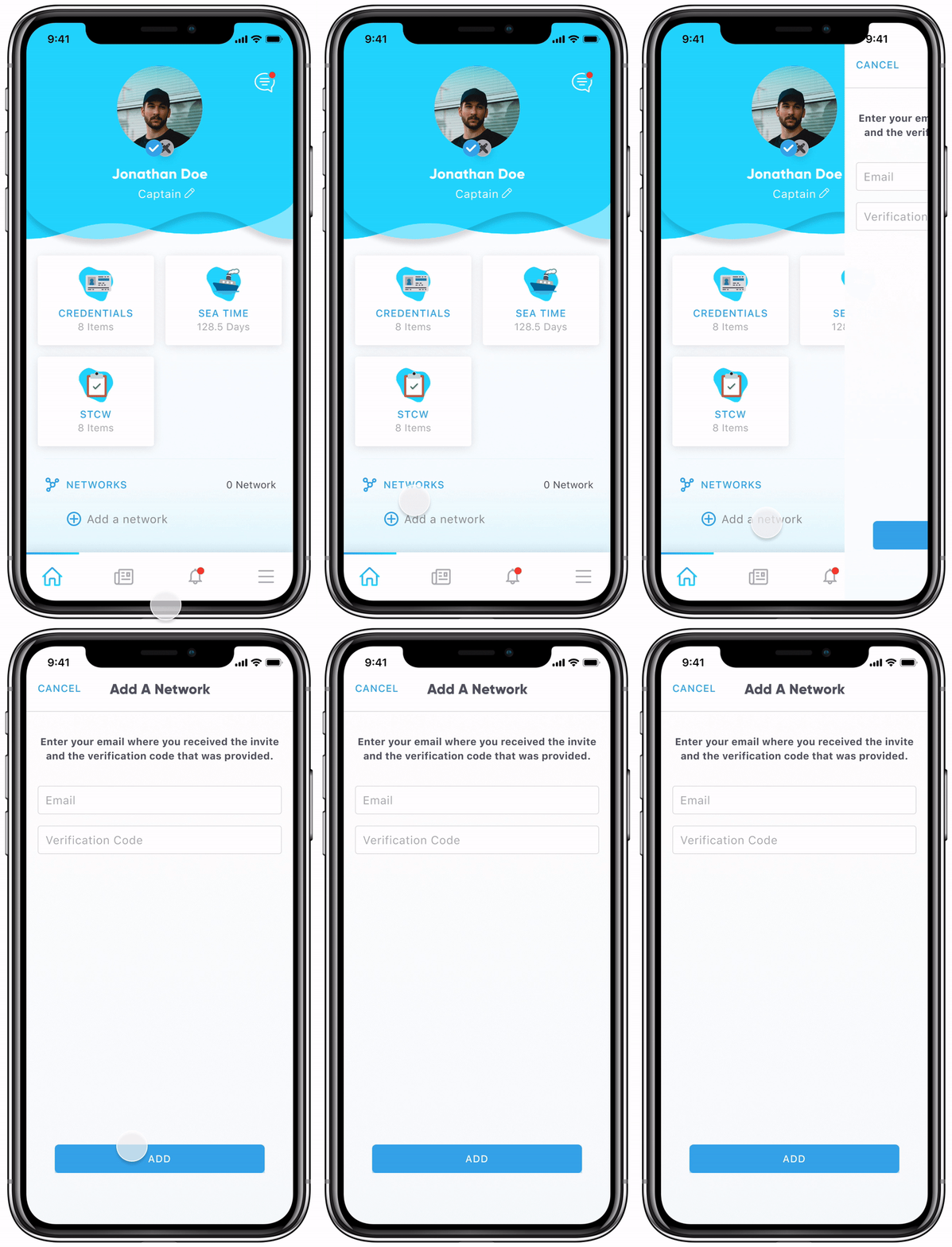
2. Open 10ure App
Don’t have the app yet? You can download the app from the Apple App Store or Google Play Store:


3. On the home screen, scroll down to “Add a network”.
On the Add a Network page, enter your email address where you received the invite and
paste/enter the Verification Code from step 1.

Need help? We got your back.
Email us at info@10ure.com