
Easily Track Student Progress with 10ure STCW Task Manager.
Offers comprehensive support to maritime academies and training centers in ensuring their students meet the rigorous requirements set by the STCW standards.

Task Tracking
With 10ure, navigating through your STCW task list is a breeze. Use our robust search and filter options to find tasks by keywords, course, section, task number, academic year, term, and status.


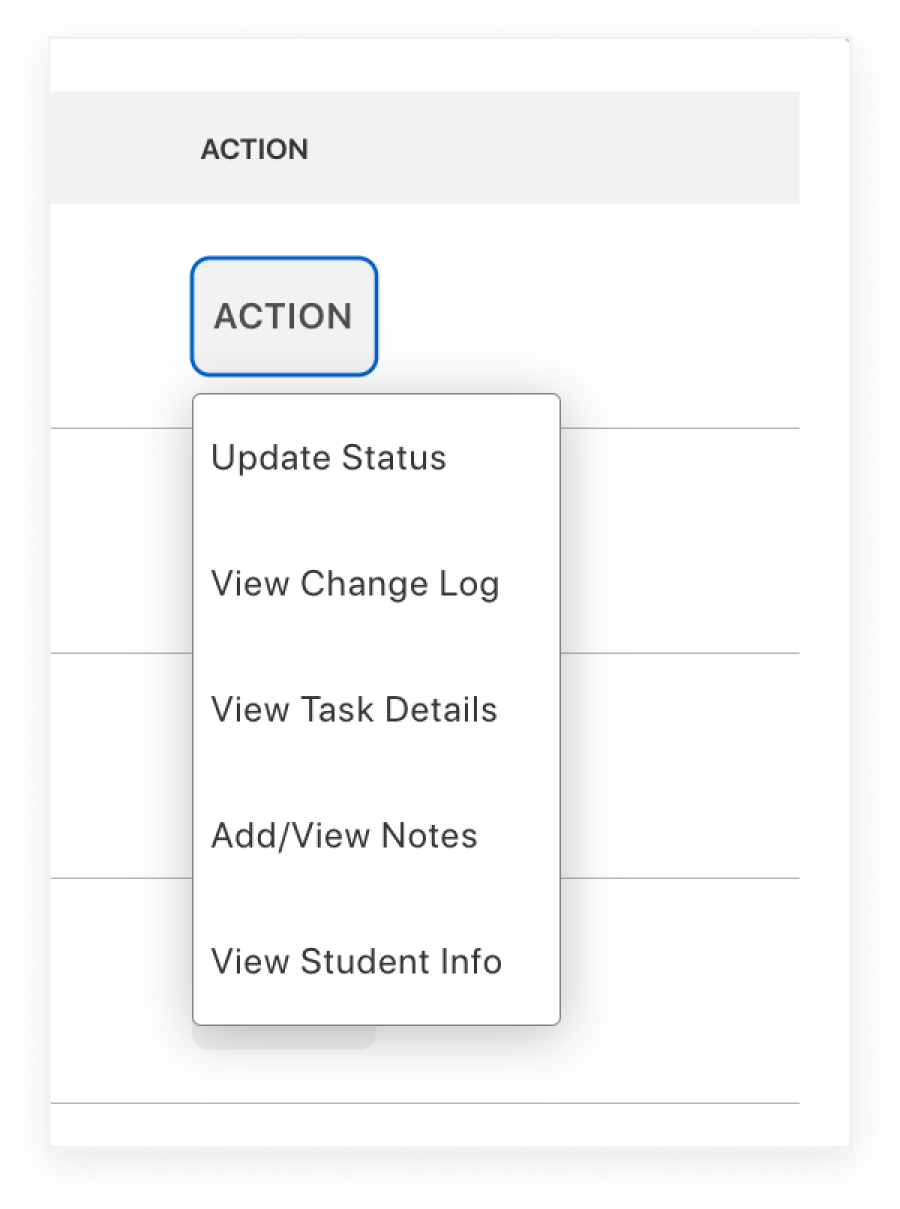
Task Management with One-Click Actions
Perform a variety of actions with a single click. Update task statuses, view change logs, access detailed task information, add notes, and even view student profiles.

Manage STCW Courses
Manage course approvers, track attendance, view enrolled students, view course STCW tasks, and upload course files such as attendance records and STCW task sign offs.

Share with Students
Share STCW task progress effortlessly with students using our mobile app. Available on both Android and iOS.
Align STCW Courses with Regulatory Requirements
Organizations ensure compliance with STCW standards by providing accredited training programs. They conduct rigorous assessments and maintain quality assurance to meet international standards. By aligning course STCW sign-offs with international maritime regulations we help organizations ensure their training remains compliant.
Comprehensive Reporting
Generate comprehensive reports to monitor student STCW task progress internally and facilitate regulatory audits.


Automated Data Integration
Our integration capabilities, which includes PeopleSoft, automate the retrieval of data to ensure your STCW Task Manager remains up to date.
